

- What an XML sitemap actually does
- How to find your sitemap
- How to read a sitemap file
- Best free sitemap generator
- Best sitemap tools for audits
- Sitemap diagrams and UX examples
- HTML sitemaps and how to check one
- Troubleshooting sitemap errors
- A maintenance routine that holds up
- Frequently Asked Questions
- References & Sources
An XML sitemap is a list of the URLs you want search engines to crawl, served at a public address in a format the sitemaps protocol defines. It helps with discovery. It does not force indexing, and it will not rescue a page that has nothing worth indexing on it. This guide covers how to find and read your sitemap, which free sitemap generator fits your platform, which tools audit sitemaps properly, how a sitemap diagram differs from the XML file, and how to fix the errors Search Console reports most often.
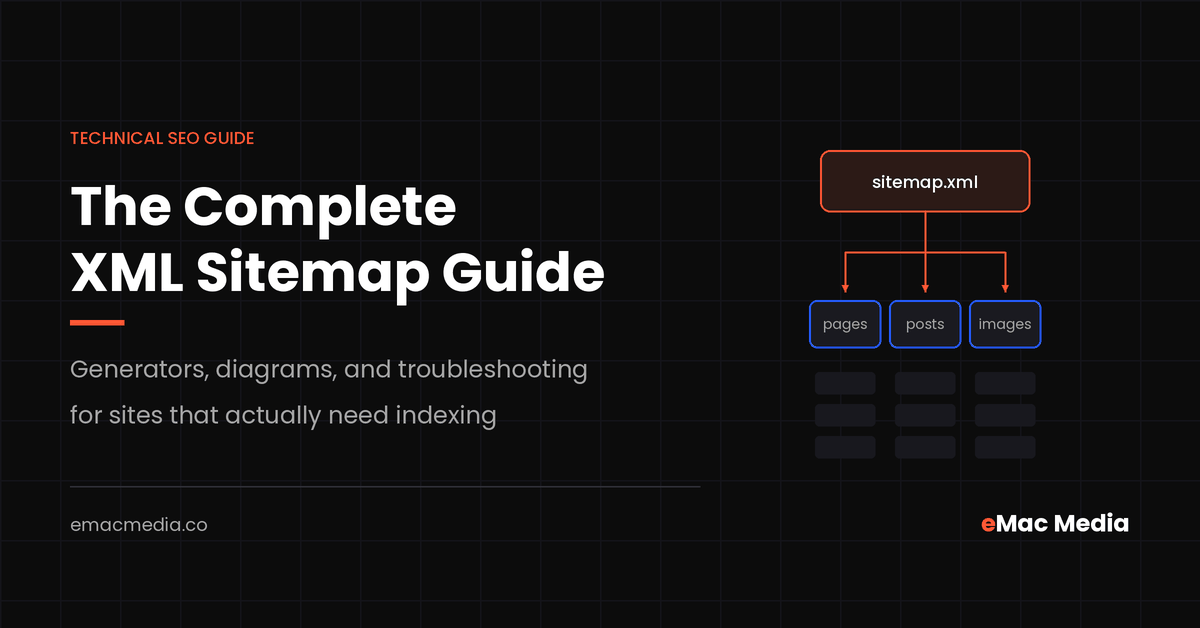
What an XML sitemap actually does
A sitemap is a discovery aid. You publish a file that lists URLs, you tell Google and Bing where that file lives, and crawlers use it as one input when they decide what to fetch next. Google is explicit that submitting a sitemap is a hint. It does not guarantee the file gets downloaded, and it does not guarantee the URLs inside get crawled or indexed.
That framing matters, because most sitemap work gets assigned the wrong job. Teams rebuild a sitemap hoping it lifts rankings, then conclude sitemaps do not work when nothing moves. A sitemap moves one variable: whether a crawler knows a URL exists. If your pages already get crawled through internal links, a sitemap changes very little. If you run a 40,000 URL catalogue with weak internal linking, it changes a lot.
When a sitemap earns its keep
- Large sites where internal linking leaves whole sections buried five or six clicks deep.
- New domains with almost no external links pointing at them yet.
- Archive content that nothing currently links to.
- Pages that change on a schedule, where an honest
lastmodvalue helps crawlers prioritise refetching. - Media you want indexed separately, through the image, video, or news sitemap extensions.
What it will not do
It will not force indexing of thin pages. It will not override a noindex directive. It will not outrank a competitor. Two fields people still fill in carefully have no effect at all: Google has said repeatedly that it ignores changefreq and priority. Priority in particular turned out to be subjective enough that it rarely reflected how a site owner actually ranked their own pages.
Treat the sitemap as a crawl instrument, not a ranking instrument. The question it answers is whether the crawler knows a URL exists and roughly when it last changed. If your organic search programme has a visibility problem, the sitemap is rarely the cause, though it is often the fastest place to confirm or rule that out.
How to find your sitemap
If you inherited a site and nobody can tell you where the sitemap lives, you can answer the question in about sixty seconds without any tooling.

1. Read robots.txt first
Open yoursite.com/robots.txt. The sitemaps protocol allows a Sitemap: directive in that file, and most platforms write it automatically. One line gives you the authoritative answer, because that is also the line crawlers read.
2. Try the predictable paths
| Platform | Default sitemap path |
|---|---|
| WordPress core (5.5 and later) | /wp-sitemap.xml |
| Yoast SEO | /sitemap_index.xml |
| Rank Math | /sitemap_index.xml |
| Shopify | /sitemap.xml |
| Wix, Squarespace, Webflow | /sitemap.xml |
| Next.js, Astro, Hugo | /sitemap.xml or /sitemap-index.xml, set in config |
A WordPress site running Yoast or Rank Math serves the plugin sitemap and usually disables the core one. If both respond, you have a configuration conflict worth fixing before anything else.
3. Open the Sitemaps report in Search Console
Under Indexing, the Sitemaps report lists every file Google has processed for the property, the last read date, and the discovered URL count. That last column is the useful one. A file Google read three months ago on a site that publishes weekly tells you the sitemap stopped updating.
4. Use a search operator to catch strays
Run site:yoursite.com filetype:xml. This surfaces old files left behind by a previous agency or by a plugin that was swapped out. Stale sitemaps sitting on a server keep feeding retired URLs to crawlers long after anyone remembers they exist.
How to view a sitemap once you have found it
Paste the URL into a browser. Modern browsers render XML directly, and plugin sitemaps usually ship an XSL stylesheet that formats the file into a readable table with clickable links. If you see a wall of raw tags instead, the stylesheet is missing or blocked, which affects nothing about how crawlers read the file. Use view-source if the rendering gets in your way. Files ending in .gz are gzip compressed and download rather than display, so unzip them locally or let a crawler handle them.
How to read a sitemap file
The format is small. Once you can read it, you can spot most problems by eye.

The tags that matter
| Tag | Required | What to do with it |
|---|---|---|
<urlset> | Yes | Wraps the file and declares the sitemap/0.9 namespace. |
<loc> | Yes | One absolute, canonical, indexable URL. Same protocol and host as the sitemap itself. |
<lastmod> | No | Use it only when the date reflects a real content change. Google uses it when it trusts it, and ignores it when every URL updates every night. |
<changefreq> | No | Google ignores it. Leave it out. |
<priority> | No | Google ignores it. Leave it out. |
<sitemapindex> | Yes, for index files | Wraps a list of child sitemap locations. Submit this one file instead of twenty. |
Hard limits and how to split
Every format caps a single sitemap at 50,000 URLs or 50 MB uncompressed. A sitemap index can reference up to 50,000 sitemaps, and the same limits apply to the index file itself. Child sitemaps must sit in the same directory as the index or lower in the site hierarchy, unless you have set up cross-site submission in Search Console.
Hitting the ceiling is not the only reason to split. Splitting by content type gives you a coverage report per segment. When product-sitemap.xml shows 49,800 submitted against 31,000 indexed while post-sitemap.xml sits at 98 percent, you have isolated the problem to the catalogue in one glance. That diagnostic is worth more than the tidiness.
Extensions worth knowing
- Image sitemaps add
<image:image>entries under a URL, which helps on visually driven catalogues where the image is the product. - Video sitemaps carry thumbnail, duration, and description data for pages that host video.
- News sitemaps apply to publishers in Google News and cover recent articles only.
- hreflang annotations use
<xhtml:link>entries to declare language and region alternates, which is usually cleaner than managing them in page head markup across a large multilingual site.
Is your sitemap telling crawlers the right story?
We audit sitemap structure, index coverage, and crawl allocation on every technical engagement, then fix what the audit finds.
The best free sitemap generator for your setup
There is no single best free sitemap generator, because the right answer depends on how your site is built. The question worth asking is whether the file regenerates itself when content changes. A generator that produces a perfect sitemap today and never runs again has created a liability.

WordPress: use what you already have
WordPress has shipped a core sitemap at /wp-sitemap.xml since version 5.5. Rank Math and Yoast both replace it with a richer sitemap index at /sitemap_index.xml and add per post type and per taxonomy controls. All three are free. Run exactly one of them. Two active sitemap generators produce conflicting files, and the cleanup takes longer than the setup did.
Settings worth changing on day one: exclude noindexed post types, exclude thin taxonomy archives such as tag pages holding a single post, and exclude attachment pages unless you have a reason to keep them.
Hosted platforms: the file already exists
Shopify, Wix, Squarespace, and Webflow generate and serve a sitemap automatically. You cannot hand edit it. Control comes from the indexing settings on each page or collection, so excluding a URL means marking it noindex rather than editing XML. On Shopify, check how out of stock products and duplicate collection URLs are handled before you blame the sitemap for coverage noise.
Custom sites under 500 URLs
Two free options cover this cleanly. The free version of Screaming Frog SEO Spider crawls up to 500 URLs and exports an XML sitemap, with configuration over which URLs to include and how lastmod gets written. XML-Sitemaps.com runs the same idea in a browser and caps at 500 pages, after which you upload the generated file to your server yourself.
Both share one weakness. They produce a snapshot. Publish ten pages next month and the file is wrong until somebody remembers to regenerate it.
Custom sites over 500 URLs
Generate the sitemap in your build or at request time. Next.js, Astro, Hugo, Laravel, and Rails all have mature sitemap packages, and most take under an hour to wire up. The file then reflects reality on every deploy with nobody touching it. This is the only approach that scales, and it is also free.
Before you pick a generator, decide which URLs belong in the file. The rule is simple: a URL goes in the sitemap if it returns 200, is canonical to itself, and is indexable. Everything else creates a contradiction that Search Console will eventually report back to you. Paid landing pages are the common exception: if a page exists only to receive ad traffic and carries a noindex tag, it does not belong in the file.
Best sitemap tools for auditing at scale
Generating a sitemap is the easy half. Auditing one means comparing what the file claims against what the site actually serves. These are the tools that do that work.
Screaming Frog SEO Spider
List mode takes a sitemap URL, fetches every URL inside it, and reports status codes, canonicals, and indexability per row. Crawl Analysis then flags orphan pages, meaning URLs that appear in the sitemap with no internal links pointing at them. That orphan list is usually the single most actionable output of a sitemap audit, and it often surfaces content assets that were published and then quietly cut off from navigation.
Google Search Console
The Sitemaps report gives you discovered URL counts and fetch status per file. Pair it with the Pages report filtered by sitemap, which splits indexed against not indexed for each submitted file. URL Inspection then answers the single URL questions the aggregate reports cannot.
Sitebulb, Semrush, and Ahrefs
All three crawl a site and cross reference the sitemap automatically. Sitebulb produces the clearest hint based explanations for a technical audit. Semrush and Ahrefs site audits run on a schedule, which matters more than depth when you want to catch a sitemap breaking two days after a deploy rather than two quarters later.
What a real sitemap audit produces
- URLs in the sitemap returning anything other than 200.
- URLs in the sitemap carrying a canonical that points somewhere else.
- URLs in the sitemap marked noindex.
- URLs in the sitemap blocked by robots.txt.
- Indexable URLs found in the crawl that are missing from the sitemap.
- Orphan URLs present in the sitemap with zero internal links.
Items one through four shrink the file. Items five and six usually point at internal linking and authority flow problems that no sitemap edit will solve.
Sitemap diagrams and UX sitemap examples
Search for "sitemap" and you get two completely different artifacts. One is the XML file crawlers read. The other is a diagram people read when they plan a site. Both are called sitemaps, and conflating them causes a lot of confused briefs between SEO and design teams.

What a sitemap diagram is for
A sitemap diagram, sometimes called a UX sitemap or an information architecture map, shows page hierarchy as boxes and connecting lines. You build one before design starts, because agreeing the structure on a diagram costs an afternoon and agreeing it in Figma costs a fortnight. Redesigns that run over budget usually ran over because nobody signed off the structure first.
Four UX sitemap examples worth copying
| Pattern | Shape | Fits |
|---|---|---|
| Flat | Home plus six to ten top level pages, no third tier | Local service businesses and brochure sites |
| Hub and spoke | Pillar page with cluster articles linking back to it | Content programmes targeting one topic cluster |
| Faceted catalogue | Category, subcategory, product, with filter rules declared up front | Ecommerce, where the filter rules matter more than the tree |
| Audience split | Parallel branches per segment, shared utility pages beneath | SaaS and B2B selling to several distinct buyers |
Whichever pattern you pick, hold commercial pages within three clicks of the homepage. Depth correlates with crawl frequency, and a local service page buried four levels down gets crawled on a slower cycle than the same page one click off the main navigation.
Tools that draw the diagram
- Octopus.do has a free plan covering one project with unlimited pages and a shareable link, which is enough for most single site redesigns.
- GlooMaps needs no account, exports to XML, PNG, and PDF, and suits a quick five page structure.
- Slickplan runs a free XML sitemap generator plus a paid planning suite with a trial, and goes deeper on content planning per node.
- FlowMapp covers one free project and pairs sitemaps with user flows for teams that want both in one place.
- FigJam, Miro, or Lucidchart work fine if your team already lives there and you only need boxes and lines.
Several of these export XML. Treat that export as a convenience for a brand new site with no CMS behind it yet. On a live site, the XML belongs to whatever generates your pages.
Planning a rebuild or a structure change?
Getting architecture right before design starts protects the rankings you already have. We map structure, redirects, and crawl paths together.
HTML sitemaps and how to check one
An HTML sitemap is an ordinary page that links to the rest of the site. Crawlers do not need it when navigation and internal linking already do their job. It still earns a place in two situations: very large archives where some URLs sit outside the main navigation, and sites where a plain directory genuinely helps people find things.
There is no dedicated HTML sitemap checker
People search for an "html sitemap checker" expecting a product. No standalone tool owns that job, because the checks are ordinary crawl checks. Point a crawler at the page in list mode and verify the following.
- Every link returns 200. HTML sitemaps rot faster than XML ones, because they are usually hand maintained.
- The page itself is indexable and reachable from the footer, so it is not an orphan.
- Links are real anchors. JavaScript driven accordions that render links only on click can leave them invisible to a crawler.
- Link volume stays usable. Google dropped the old hard limit on links per page, but a page carrying 4,000 anchors is a usability problem and dilutes the value each link passes.
- It agrees with the XML sitemap. If the two disagree about which pages exist, one of them is out of date.
Screaming Frog, Sitebulb, or a scheduled Semrush audit all handle this. For a one off answer, crawl the page with the free Screaming Frog tier and sort by status code.
Troubleshooting sitemap errors
Search Console reports sitemap problems in language that describes the symptom rather than the cause. Here is the translation.

Couldn’t fetch
The file returns a 404 or a 5xx, times out, or robots.txt disallows the path. Load the URL yourself in an incognito window, then confirm the response is 200 with a content type of application/xml. Firewalls and bot protection services cause this more often than broken code does, so check whether Googlebot is getting challenged before you rebuild anything.
URL blocked by robots.txt
You are listing a URL and disallowing it at the same time. Decide which one you meant. If the page should be crawled, remove the Disallow rule. If it should not, remove it from the sitemap.
Submitted URL marked noindex
Noindex pages are still inside the generated file. Fix it at the generator rather than by editing output. In Rank Math or Yoast, exclude the post type or taxonomy. In a framework, filter the query that feeds the sitemap builder.
Sitemap is HTML
The path returns a web page instead of XML, almost always a soft 404 served by the CMS when the real path is something else. Find the correct path, then submit that.
Problems that are not really sitemap problems
- Mixed host or protocol. A sitemap at
https://www.site.comlistinghttp://site.comURLs. Normalise everything to the canonical host. - Redirect chains inside the file. A migration happened and the generator kept emitting old URLs. Regenerate from current content.
- Parameter URLs. Filter and sort combinations that should never have been listed, which is common on faceted catalogue sites and anywhere AI and search crawlers are already spending more budget than you intended.
About resubmitting
Google deprecated the unauthenticated sitemap ping endpoint in 2023, and it now returns a 404. Any plugin still calling it is doing nothing useful. The supported routes are the Sitemap: directive in robots.txt and the Sitemaps report in Search Console. Resubmitting an unchanged file also does nothing. Fix the underlying cause first, then resubmit so Google refetches.
A sitemap maintenance routine that holds up
Sitemaps break quietly. Nothing alerts you when a plugin update starts emitting tag archives, and the damage shows up months later as crawl budget spent on pages you never wanted indexed. A short recurring check prevents almost all of it.
Give the check an owner rather than a calendar reminder nobody opens. If that ownership does not exist internally, it is the kind of recurring maintenance an agency retainer should cover by default, alongside the technical tooling that makes the checks fast. Coverage problems that survive a clean sitemap are usually authority problems, which is where digital PR and link acquisition start to matter more than any file you can edit.
Frequently Asked Questions
References & Sources
- 1.Build and submit a sitemap – Google Search Central
- 2.Manage your sitemaps with a sitemap index file – Google Search Central
- 3.Sitemaps ping endpoint is going away – Google Search Central Blog
- 4.Sitemap protocol 0.9 specification – Sitemaps.org
- 5.Google to deprecate Sitemaps ping endpoint – Search Engine Land
- 6.John Mueller on sitemaps with more than 50,000 URLs – Search Engine Journal
- 7.SEO Spider pricing and free version limits – Screaming Frog
- 8.Sitemap builder pricing and free plan – Octopus.do
- 9.Sitemap generator tools compared – Backlinko


Your sitemap is one input. Indexing is the outcome.
We have run 291 campaigns since 2014. When pages do not get indexed, the sitemap is usually where we start and almost never where the problem ends.
Get Your Free Strategy Proposal