




- Why AI-Assisted Coding Matters for Agencies
- The Stack We Actually Use
- Building Custom WordPress Plugins with AI
- Shipping Calculators and Lead-Gen Tools
- Our 7-Step Workflow from Brief to Live
- Where AI-Assisted Coding Breaks
- The Pre-Launch Review Checklist
- Frequently Asked Questions
- References & Sources
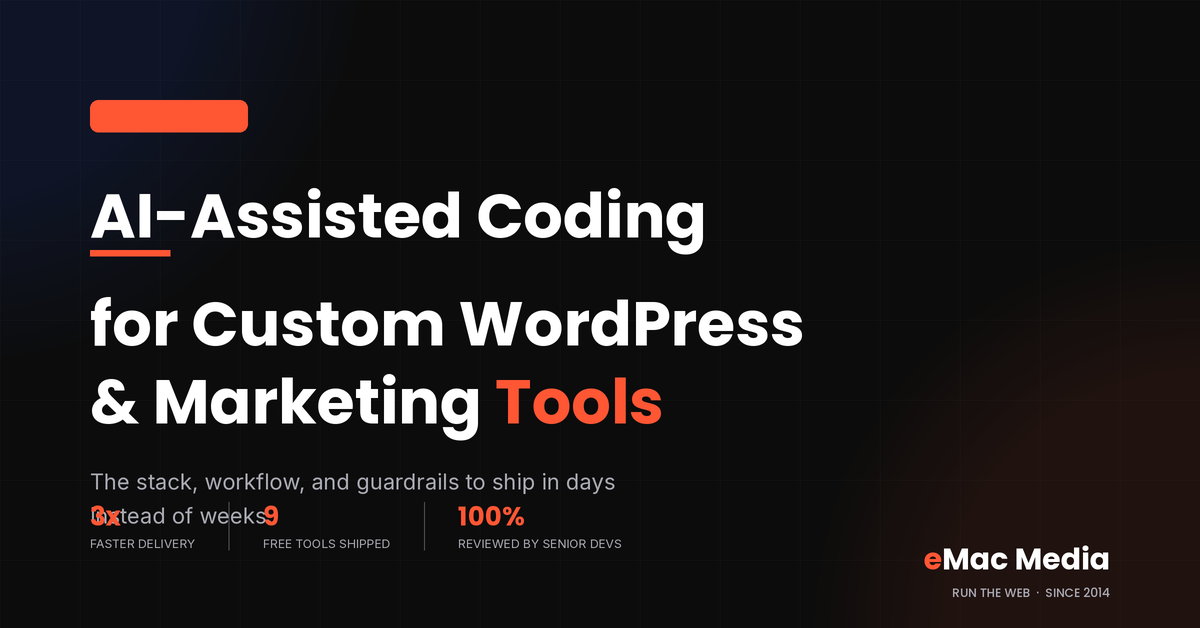
Two years ago, spinning up a custom WordPress plugin or an interactive marketing tool meant blocking off two engineering weeks. Today, our team ships the same work in two or three days using AI-assisted coding. The speed jump is real, but only if you build the right guardrails around it. This guide covers the models we use, the workflow that keeps output production-ready, the failure modes we watch for, and the review checklist every AI-generated file passes before it touches a client site.
Why AI-Assisted Coding Matters for Agencies
Marketing agencies live and die by turnaround. A prospect asks for a custom ROI calculator on a Tuesday. The competing agency quotes six weeks. If your team can quote six days and back it up, you win the account.
That is the shift AI-assisted coding has forced on agency ops. Custom development used to sit downstream of everything else because it was slow and expensive. Now it moves closer to the front of the stack. Things like lead magnets, client audit tools, and niche WordPress plugins have gone from quarterly bets to weekly output for our team.
The math is straightforward. When boilerplate stops being a bottleneck, developer time goes into the parts that still need human judgment: brand fit, security review, analytics, and integration with the rest of a client's website development stack. Those are the parts a client actually pays for.
The Stack We Actually Use
The tool market moves too fast to declare a permanent winner. Here is the stack we settled on for 2026 and the specific job each tool does well.
| Tool | Best For | Where It Struggles |
|---|---|---|
| Claude (Opus & Sonnet) | Long, multi-file plugin builds; PHP; refactors that need to understand the whole codebase | Very new WordPress core APIs it has not seen yet |
| Claude Code | Terminal-based agentic work: running tests, editing files, making git commits | Anything that needs a visual designer's eye |
| GitHub Copilot | Line-by-line autocomplete inside VS Code; fast on JavaScript and CSS | Larger architectural decisions across files |
| Cursor | Whole-project edits with a chat panel; great for tool builds under 20 files | Very large legacy plugins where context blows past its window |
| GPT-4-class models | Quick prototypes, regex work, second opinions on Claude output | Long WordPress-specific tasks where Claude tends to be tighter |
We do not treat any of these as the source of truth. Every model gets things wrong in its own way, so the workflow assumes a review layer sits between the model and the client site. That review layer is the difference between shipping fast and shipping broken.
Building Custom WordPress Plugins with AI
Plugin work breaks into four buckets: scaffolding, admin UI, front-end rendering, and data. AI does the first three well. The fourth is where developers still spend most of their time.
Scaffolding and boilerplate
Register activation and deactivation hooks, set up the plugin header, wire in an autoloader, add an uninstall routine. All of this is templated work that Claude or Copilot will produce in seconds. Ten years ago, a senior dev would copy from a previous plugin and refactor. Now the model does that faster and adapts to the exact naming convention you specify in the prompt.
Admin screens and settings pages
The WordPress Settings API is verbose. A settings page with five fields, tabs, and proper sanitization is around 300 lines of PHP. Claude will write it in one pass if you specify the field names, the option key, and the capability required. We save the output as a starting file, then a human developer tightens the sanitization callbacks and adds any custom validation.
Front-end rendering and shortcodes
Shortcodes, block editor blocks, REST endpoints, template overrides. These have well-defined shapes, and AI models handle them cleanly. The gotcha is escaping. Models sometimes forget to run output through esc_html, esc_attr, or wp_kses_post. A grep for those functions is the first thing our review step does.
If a task involves reading WordPress documentation and following a pattern, AI will do it fast. If it involves picking between two valid approaches based on business context, keep a human in the loop.
Data models and database schema
This is where AI is at its weakest for WordPress work. Choosing between a custom table, post meta, or an options row is not a technical question; it is a product question about read patterns, write frequency, and how the data will be queried later. Models will confidently pick one, but they pick badly about a third of the time. Our team decides schema first, then hands the model a spec.
Need a custom tool that captures leads?
eMac Media builds AI-assisted WordPress plugins, calculators, and interactive tools that turn organic traffic into pipeline.
Shipping Calculators and Lead-Gen Tools
The stat that changed the most for us is this one: standalone interactive tools have gone from "quarterly project" to "weekly output." Our SEO ROI calculator, AI visibility score, and schema generator all went from spec to production in under three days each using this workflow.
Why does AI-assisted coding work so well for lead-gen tools specifically? Three reasons.
First, the interaction patterns are shallow. A calculator takes inputs, runs formulas, shows results. There is no long-running state, no complex auth, no data migration. AI models nail this shape every time.
Second, the design system is repeatable. Once we handed Claude our eMac Media brand tokens (Data Black, AI Orange, Neural Blue, Signal White, plus the Poppins and Inter font stack), every subsequent tool inherited the same look without a designer touching a file. That saved an average of two design rounds per tool.
Third, the analytics are standard. Every tool logs the same events into our CRM and marketing automation stack, so the model can be handed a snippet and told to include it. What used to require a marketing engineer now requires a copy-paste.
Our 7-Step Workflow from Brief to Live
The workflow below is what keeps AI-assisted coding from becoming AI-generated technical debt. Every custom tool and plugin our team ships goes through these seven steps.
Ship and monitor. Deploy behind a feature flag when possible. Watch error logs for the first 24 hours. If the tool captures leads, verify the first three submissions land in the CRM correctly.
Where AI-Assisted Coding Breaks
Speed hides sins. That is the honest summary of what we have learned over 18 months of AI-assisted coding for client work. Here are the specific ways it goes wrong.
Confident hallucinations of WordPress functions
Models sometimes invent functions that sound like they should exist in WordPress core but do not. get_current_user_role(), wp_get_active_theme(), made-up filter names. Code runs fine in the model's head, then throws a fatal error the moment it loads. The fix is a fast lint pass and one round of "run it, see what breaks."
Missing capability checks
An AJAX endpoint that does not call current_user_can() becomes an unauthenticated write endpoint. Models forget this constantly, especially on admin-side handlers. Our security pass checks for a capability call inside every callback that touches data.
Overengineered abstractions
Give Claude a request for a simple settings page and it will occasionally deliver a factory pattern with three interfaces and a service container. That is fine for a large plugin. It is overkill for a 200-line utility. Explicit instructions in the prompt help: "simple procedural PHP, no OOP unless you need it."
Silent copy of open-source code
Models occasionally reproduce large chunks of GPL code from their training data. For WordPress work this is legally fine because the ecosystem is GPL by default, but attribution matters. If a chunk looks familiar, we search for it before shipping. This is also why AI-assisted work belongs in your own repo, not as an unattributed drop into a client's codebase.
Skipped accessibility
Models default to producing UI that looks correct but fails keyboard navigation and screen reader tests. If a tool will be on a client's public site, accessibility review is mandatory. This is the single most common thing we add after the first draft.
Want your site's AI visibility scored in seconds?
Our free AI Visibility Score tool was built using the exact workflow described in this article. See how your site ranks in AI-powered search.
The Pre-Launch Review Checklist
Every AI-generated file passes this checklist before it touches a live client site. Skip a step, own the bug.
- Nonces on every form and AJAX endpoint. Verified with
wp_verify_nonceorcheck_ajax_referer. - Capability checks on every write. No exceptions, even for admin-only tools.
- Output escaping. Every echoed value passes through
esc_html,esc_attr,esc_url, orwp_kses_post. - Prepared statements. Any custom SQL uses
$wpdb->prepare(). No string concatenation. - Sanitized inputs.
sanitize_text_field,sanitize_email, and friends are applied on the way in. - Text domain and translation strings. User-facing strings wrap in
__()oresc_html__()with a consistent text domain. - Uninstall cleanup. Options, tables, and cron events created by the plugin are removed on uninstall.
- Accessibility check. Keyboard navigation works. Form labels are present. Contrast passes WCAG AA.
- Analytics wiring. Every meaningful user action fires an event that lands in our CRM.
- Rollback plan. The previous version is tagged and ready to redeploy in one command.
This list is boring on purpose. Boring lists ship code that does not break at 2 a.m.
Where This Is Going
The version of AI-assisted coding we are running in 2026 will look primitive within a year. Agentic workflows are already replacing the "prompt, review, prompt again" loop with tools that plan, execute, and self-correct across multiple files. Our team is starting to move more of the pipeline into that mode, especially for well-scoped internal work like AI search visibility reporting and SEO data pipelines.
What is not changing is the review layer. Client work has one rule: the human on the account is responsible for what ships. AI-assisted or not, that rule stays.
Frequently Asked Questions
References & Sources
- 1.Plugin Handbook · WordPress Developer Resources
- 2.Plugin Security Guide · WordPress Developer Resources
- 3.Research: quantifying GitHub Copilot's impact on developer productivity · The GitHub Blog
- 4.Introducing Claude Code · Anthropic
- 5.Cursor Features · Cursor
- 6.WCAG 2.1 Quick Reference · W3C Web Accessibility Initiative
- 7.Settings API · WordPress Developer Resources


Generate Schema Markup in Seconds
Skip the manual JSON-LD grind. Our free Schema Generator was built with the same AI-assisted coding workflow described above. Try it now.
Try Schema Generator